
Why it exists
The tasks were never the problem.
Bead started as an argument with a to-do app. It sent a marketing email most days. It counted things. It kept score. And when the time came to leave, cancelling was a maze.
Being managed by the app was the problem. So Bead does the opposite.
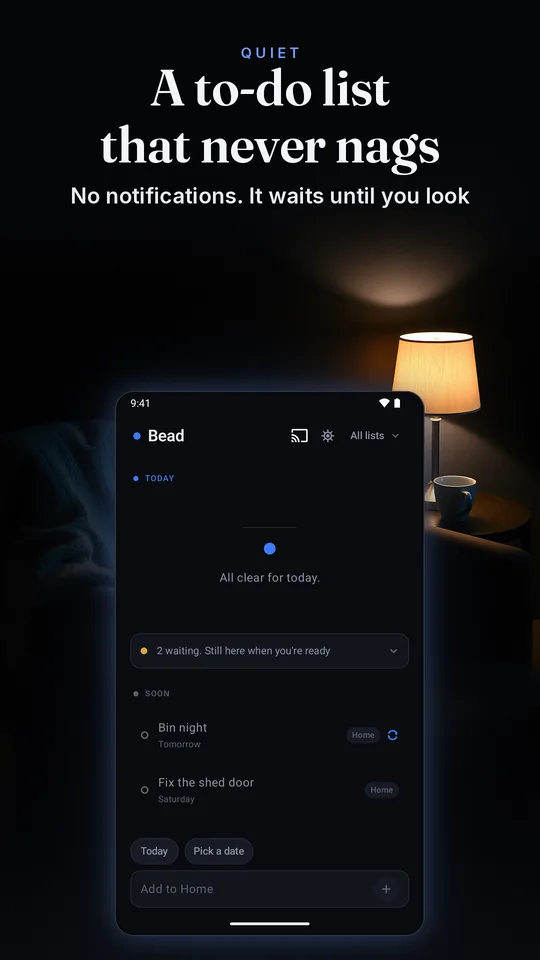
It does not notify you. There is no run of days to keep going, no score and no percentage, and nothing turns a date into an accusation. Something unfinished is simply waiting, in muted amber, never red.
How it works
A reminder is a place you look, not an event that goes off.
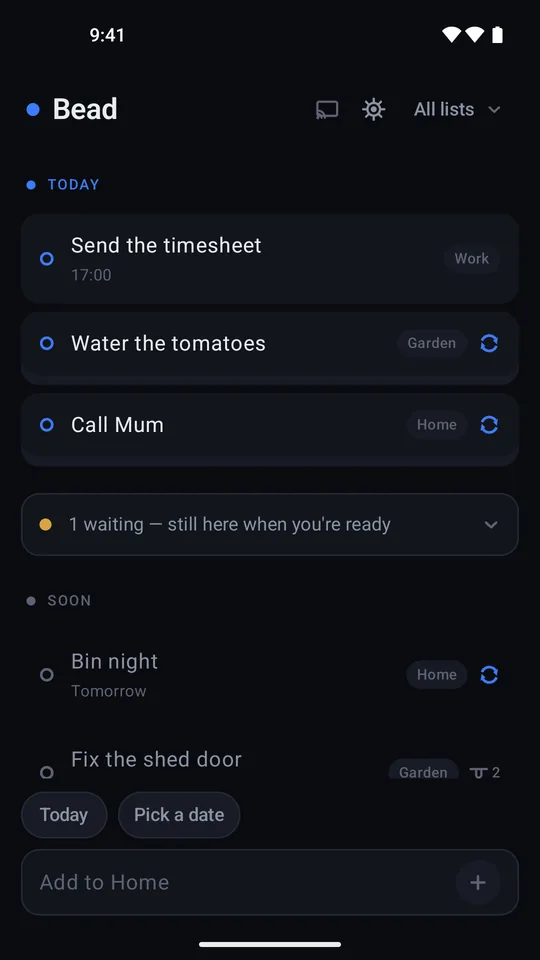
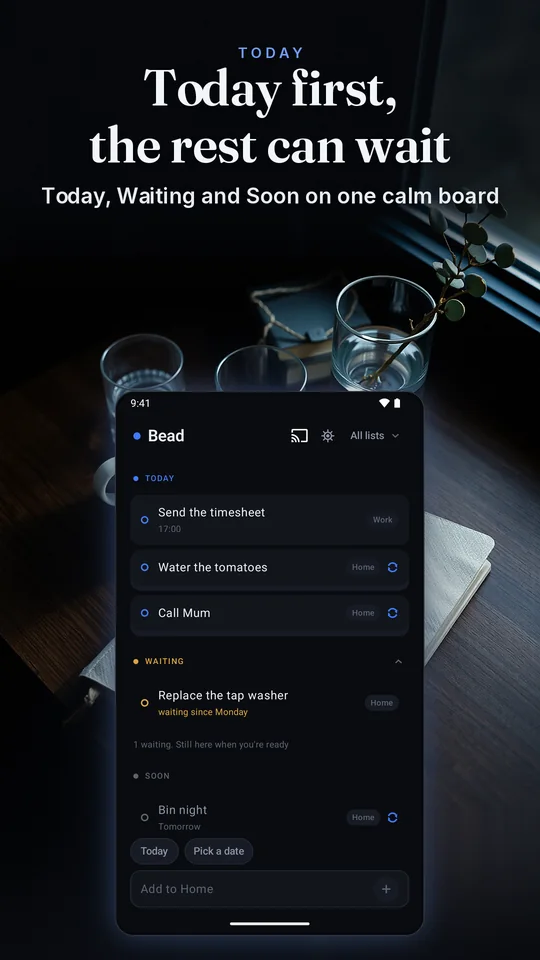
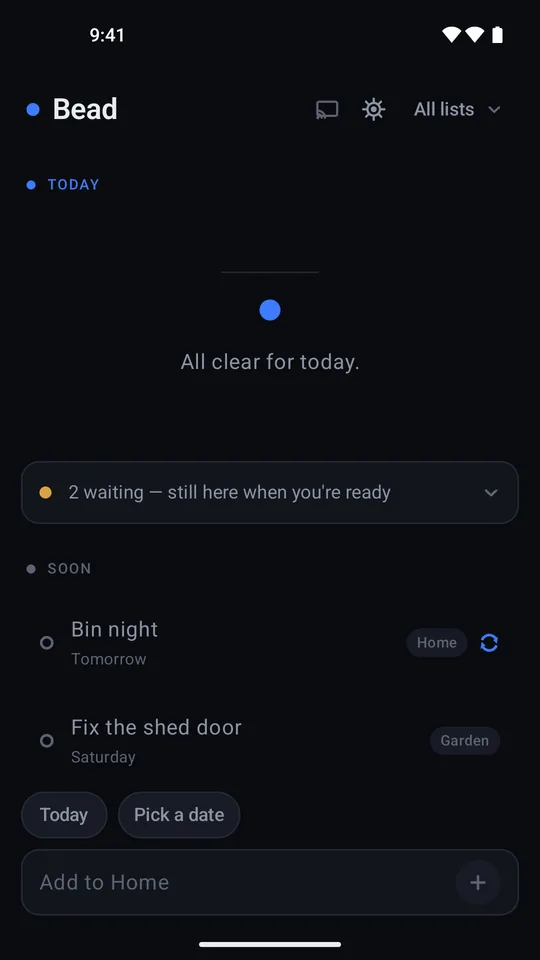
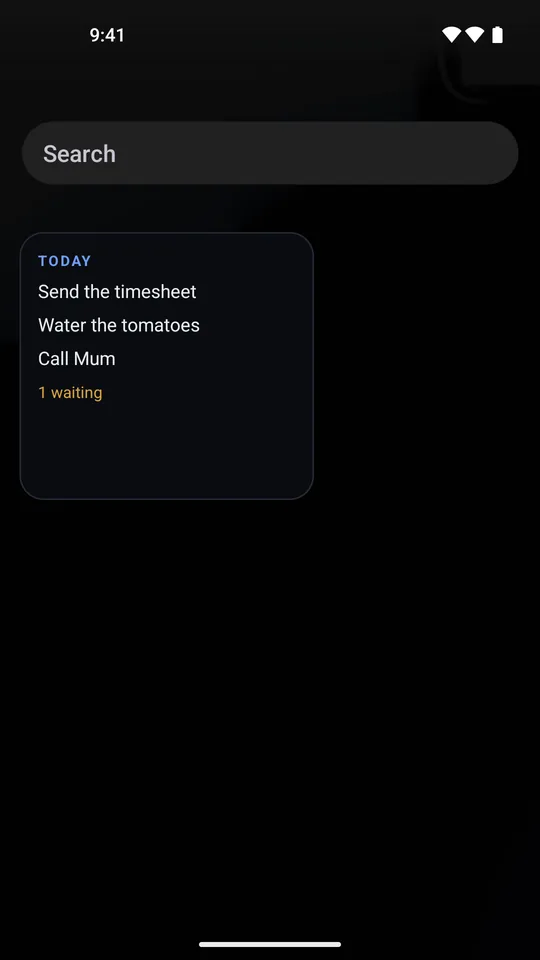
Bead opens straight to Today. No home screen behind it, no tabs, and no inbox to sort first. Everything else sits below it, quieter, and folds away.
Nothing schedules those lanes. They're worked out from today's date each time the screen draws, so at midnight an unfinished task simply moves down into Waiting.
-
Today
Due today, in your accent colour, always at the top. On a clear day it says there's nothing scheduled, and to enjoy it.
-
Waiting
Open, and dated before today. Muted amber, newest first, folded to one line that says it's still here when you're ready.
-
Soon
The next seven days, quieter than Today because they aren't asking for anything yet.
-
Later
Further out, or with no date at all. Folded away until you open it.
Doing things
Two swipes cover almost everything.
And nothing you do here is one-way.
-
Swipe right: done
A green bead slides along the thread behind the row and a tick lands. A small sound if you want one, an Undo for a few seconds, and it stays in Done today until tomorrow.
-
Swipe left: tomorrow
“Moved. It'll be there tomorrow.” That's the whole response: no penalty, and no counter of how many times you've moved it.
-
Or just hold
Park a finger on a row and a quiet green fill sweeps across it. Reach the far edge and it's done. Both gestures work with a screen reader too.
A sketch of Bead's board you can try
Today
- Send the timesheet17:00Work
- Water the tomatoesEvery dayHome
- Call MumHome
All clear for today.
1 waiting. Still here when you're ready
- Replace the tap washerwaiting since MondayHome
Soon
- Bin nightTomorrowHome
Try it: swipe a row right to finish it, left for tomorrow, or hold it. The buttons on each row do the same.
A sketch of Bead's board, drawn by your browser. Reload the page and it starts again.
Repeats, lists and a look back
Repeats that never pile up.
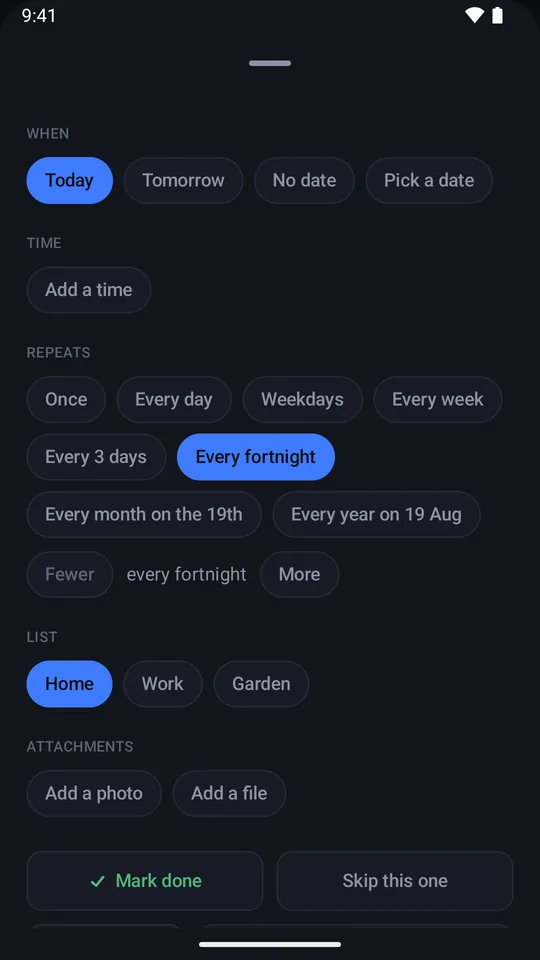
Every day, weekdays, every week, every few days, every fortnight, every few weeks, every month on a day you choose, or every year on a date from the calendar.
The next one appears only when you finish or skip the current one. Leave a daily task for three weeks and it's still one row, not twenty-one.
Skip this one
A button, not something buried in a menu. It sets the next occurrence and says nothing else about it, not even a sound.
Adding is one line
Type milk tomorrow in the bar docked to the screen you're on, and the date comes off the words.
A time, without an alarm
A task can carry a time, and Bead shows it quietly on the row. It does not ring.
Notes, photos and files
A note, and up to eight photos or documents you pick. Bead keeps a copy; the original stays put.
Lists, and All lists
Home, work, the house. Two lists to start with, up to ten with Bead Pro, and an All lists view that shows the lot in the same lanes.
Nothing is lost
Delete a list and its tasks move to another one, and the confirmation says where they're going.
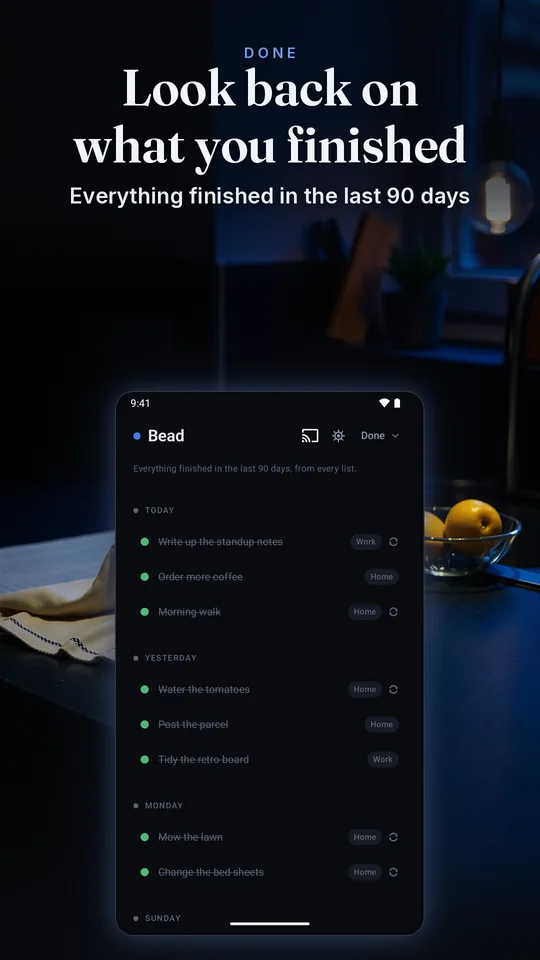
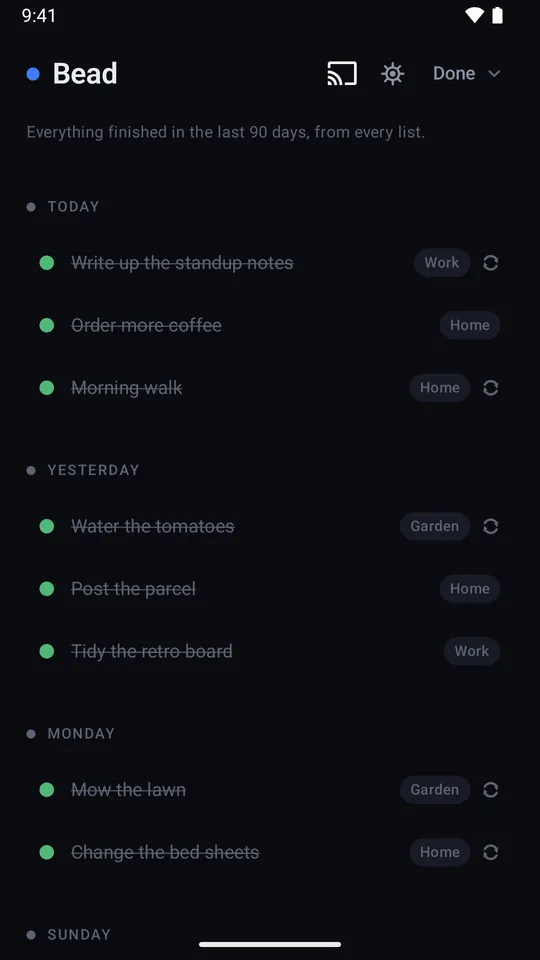
A look back, not a score
The Done view keeps what you finished in the last ninety days, one section per day. Not done yet puts a row back.
Make it yours
One dark theme. Seven accents.
Near-black is the point: the wallpaper doesn't get a vote here. Only the accent moves. The dark ground, the Waiting amber and the done green stay exactly the same in every pack.
One small sound, or none
A sound when a task is done, and nothing else in the app ever makes a noise. On iPhone the cue sits on top of your music instead of stopping it.
- Bead Free
- Silent Free
- Chime Pro
- Pop Pro
- Pluck Pro
- Glass Pro
- Clay Pro
An illustration of the board on a TV, in the accent you picked above.
The board, on your TV
Cast the day to a Chromecast or a Google TV on your own network and it goes up on the wall in big type, in your accent colour. The TV only displays; the phone stays in charge.
Titles only, so notes and attachments are not sent to the TV, and only while you're casting.
Casting uses Google's Cast framework and is covered by Google's privacy policy.
What Bead will never do
Not settings to find and switch off. Not in the app at all.
- Send you a notification
- Wake your phone to tell you something
- Email you, ever, about anything
- Ask you to keep a run of days going
- Show a score, a ring or a percentage
- Colour a date red
- Count what you didn't do
- Beg you for a rating
- Interrupt you with an upsell
Bead uses the network for the store's billing for the one-time purchase, and for casting to your TV if you use it. We receive anonymous usage stats. Read the privacy page